Content and Container Separation: Building a PowerPoint Generator with JSON as Source of Truth
A weekly training series needed consistent PowerPoint decks without manual formatting. The solution: JSON as source of truth, a Python generator as the renderer, and a clean separation between content and presentation.
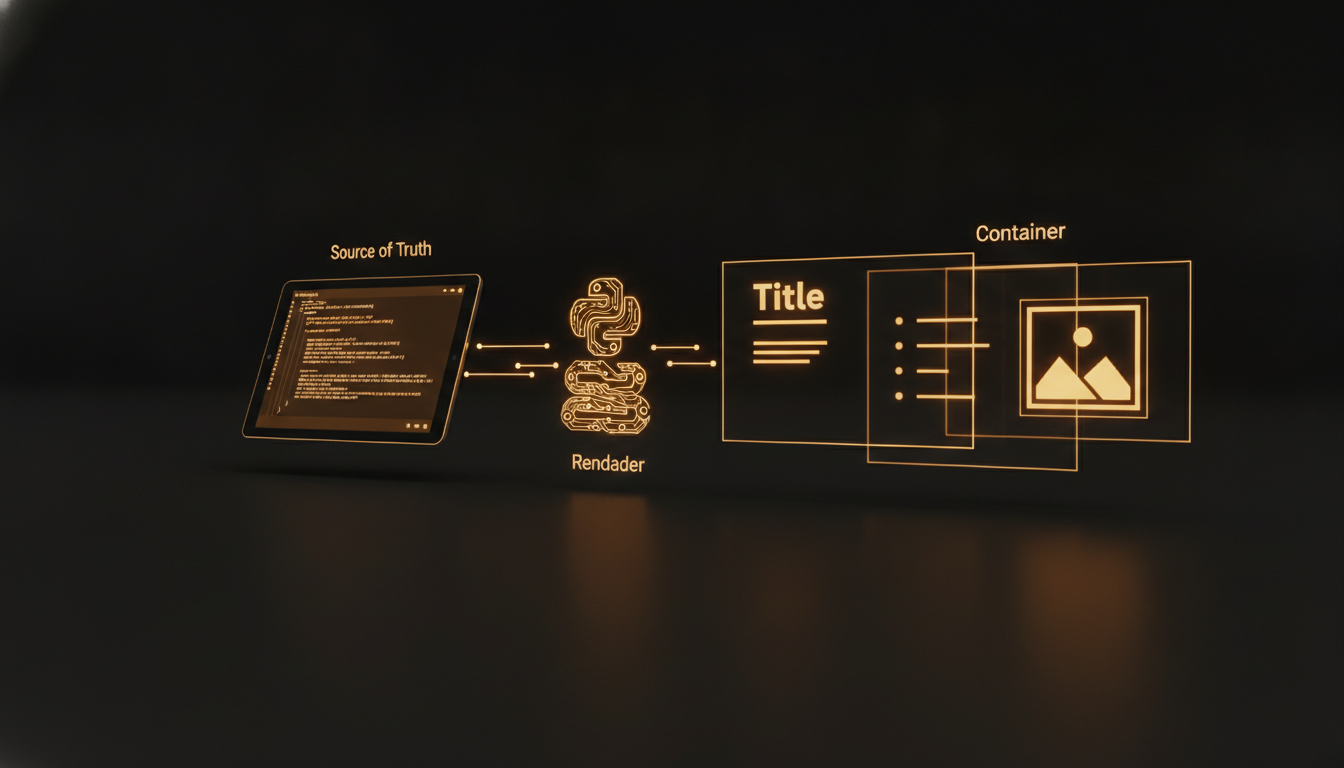
Most PowerPoint decks rot. The slide you carefully formatted last quarter becomes the one nobody can edit without breaking the layout. The corporate template evolves, but every existing deck keeps the old fonts. The solution is not a better editor. It is separating content from container.
For the past few weeks I have been running a weekly internal training series called "La Minute Copilot" at a Quebec financial institution. Each episode is a 5-minute PowerPoint presentation about a Microsoft Copilot feature. The audience is 100 people who range from developers to project managers to administrative assistants. The format needs to be consistent. The content needs to be fresh every week. And the production needs to take minutes, not hours.
The architecture that emerged is a content pipeline where the source of truth is a JSON file and the PowerPoint file is a generated artifact. Here is how it works and why JSON beats .pptx as a storage format.
The Pipeline
The workflow looks like this:
Subject + use cases (human) -> JSON (source of truth) -> generate_pptx.py -> .pptx (artifact)
A human decides the weekly topic and provides the core use cases. An agent writes the JSON file following a formal schema. A Python script consumes that JSON and produces a styled PowerPoint deck. The human reviews and presents. No manual slide formatting ever.
The JSON Schema
Every presentation file follows a JSON Schema (draft 2020-12) that defines the structure:
- Metadata: title, subtitle, author, date
- Slides: an ordered array, each with a type, title, content blocks, speaker notes, and icon references
- Card layouts: specific structures for concept cards, comparison tables, step-by-step workflows, and tip callouts
A slide might look like this:
{
  "type": "concept-card",
  "title": "Write Better Emails with Copilot",
  "icon": "mail",
  "bullets": [
    "Use / to access Copilot in Outlook",
    "Draft by mention: @mention a previous email for context",
    "Adjust tone with /rewrite before sending"
  ],
  "speaker_notes": "Demo: open Outlook, compose a reply, use Copilot to shorten."
}
The schema enforces minItems on slides, validates icon names against the Lucide icon set, and ensures every slide has the required fields. If the JSON does not validate, the generator rejects it before producing a broken deck.
The Generator
The generator (generate_pptx.py) is a 500-line Python script using python-pptx. It does not use the PowerPoint COM interface. It builds slides from scratch using the corporate template as a base. The key design decisions:
Theme is code, not templates. Colors, fonts, and spacing are defined in the Python script, not in a slide master. When the corporate theme changes, you update one file and regenerate all decks. No legacy decks with stale templates.
Icons are rasterized from Lucide. The icon name in the JSON (e.g. "mail", "settings", "search") maps to an SVG from the Lucide icon set. The script downloads and rasterizes these SVGs to PNG at the correct resolution for PowerPoint. This means icons are always sharp and consistent across all episodes.
Layout is declarative. Each slide type (title slide, concept card, comparison, step list, tip callout) maps to a Python method that positions text boxes and images on a blank slide. Adding a new layout type means writing one new method. No fiddling with PowerPoint shape coordinates.
Why JSON Won
This was not an obvious choice. The alternatives each had real tradeoffs:
PowerPoint templates (.potx): Every editor corrupts them differently. Merging changes across episodes is impossible. Version control diff shows binary garbage. This was the old way and it failed on every episode past episode 3.
Markdown to PPTX: Tools like Marp and Slidev work well for developer presentations. But the output is limited to basic layouts. Corporate decks need specific card designs, speaker notes per slide, and precise icon placement. Markdown does not express layout well.
HTML + Puppeteer: Would work but adds a browser engine to the pipeline. For a weekly script that runs in seconds, a full Chromium dependency is disproportionate.
JSON schema + Python PPTX generator: The JSON is human-readable, diffable in git, and mergable. The schema catches errors before generation. The Python script produces pixel-perfect output matching the corporate brand. The entire pipeline takes less than 5 seconds per episode.
The Content Container Contract
The critical architectural decision was defining the boundary between content and container. Content owns: text, structure, icon choices, speaker notes. Container owns: colors, fonts, positioning, branding, slide dimensions.
This contract means a non-technical person can write a new episode by editing a JSON file without ever opening PowerPoint. It also means the container can be swapped entirely (different theme, different aspect ratio, different output format) without touching the content files.
Operational Experience
After 25+ episodes, the pipeline has held up well. The most common failure mode is an invalid icon name in the JSON, which the schema catches at validation time. The second is a speaker note that is too long for the text box, which the generator now truncates with an ellipsis.
The one thing I would change: the JSON schema could be stricter about text length limits per slide type. Currently the validation only checks structure, not content fit. Adding a linting step that previews text overflow before generation would eliminate the remaining edge cases.
When To Use This Pattern
This approach is overkill for a one-off presentation. It is ideal when you have:
- A recurring presentation format (weekly training, monthly reports, quarterly reviews)
- Multiple authors producing content
- A corporate brand that changes periodically
- A need to version-control and review presentation content
If you are producing the same deck every week by copying last week's file and changing the text, you have a content-container problem. Solve it with a schema, not with copy-paste.